I would like to allow FileManager to access the Documents directory on my Mac (Catalina). I think what happened is the first time I tried to access that directory in FileManager, the MacOS asked whether I wanted to allow FileManager permission to access that directxory and I reflexively said no. Oops. Unfortunately now I can't find any way to reverse that mistake. How do I change that at this point?
You can change it as follows:
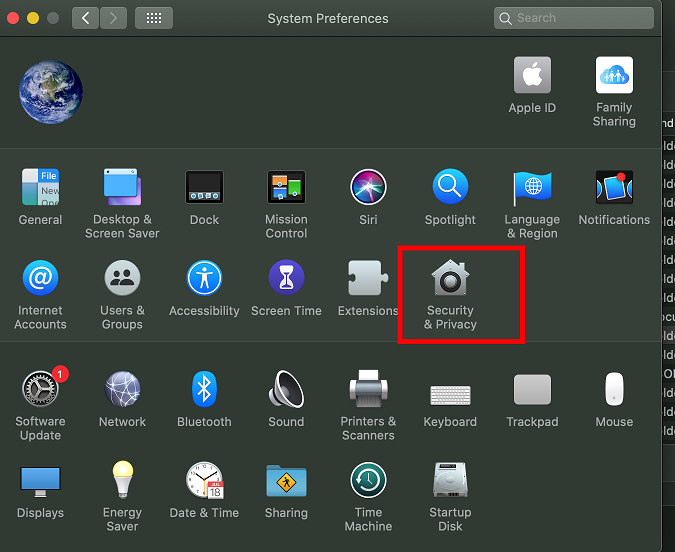
1: Open "System Preferences" and select "Security & Privacy".
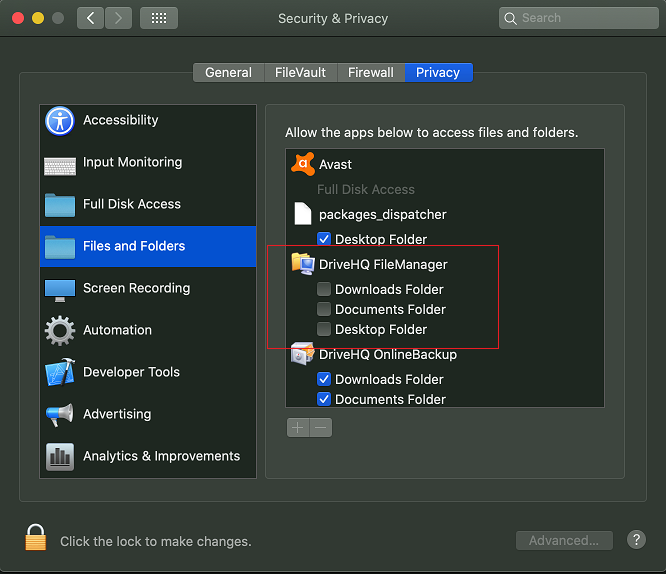
2: In Secutity & Privacy dialog, select "Privacy" tab and select "Files and Folders". Check the checkboxes to allow access.
請 登入回覆。 還不是DriveHQ會員?