When posting questions on our support forum, sometimes it is hard to explain the problem without providing a screenshot showing the problem. After you have taken a screenshot, the next question is how to attach the image to the message?
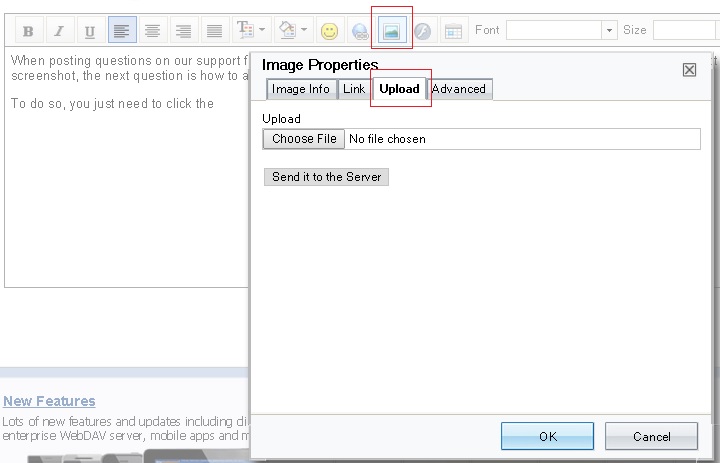
To do so, you just need to click the image icon as shown below when composing a new message. A popup window will show up; you can then click the Upload tab, select the image file to upload, then click "Send it to the Server".
You can attach one image each time, but you can do it again to add more images to the message. ( Note: This feature is available to paid members / true members only. )